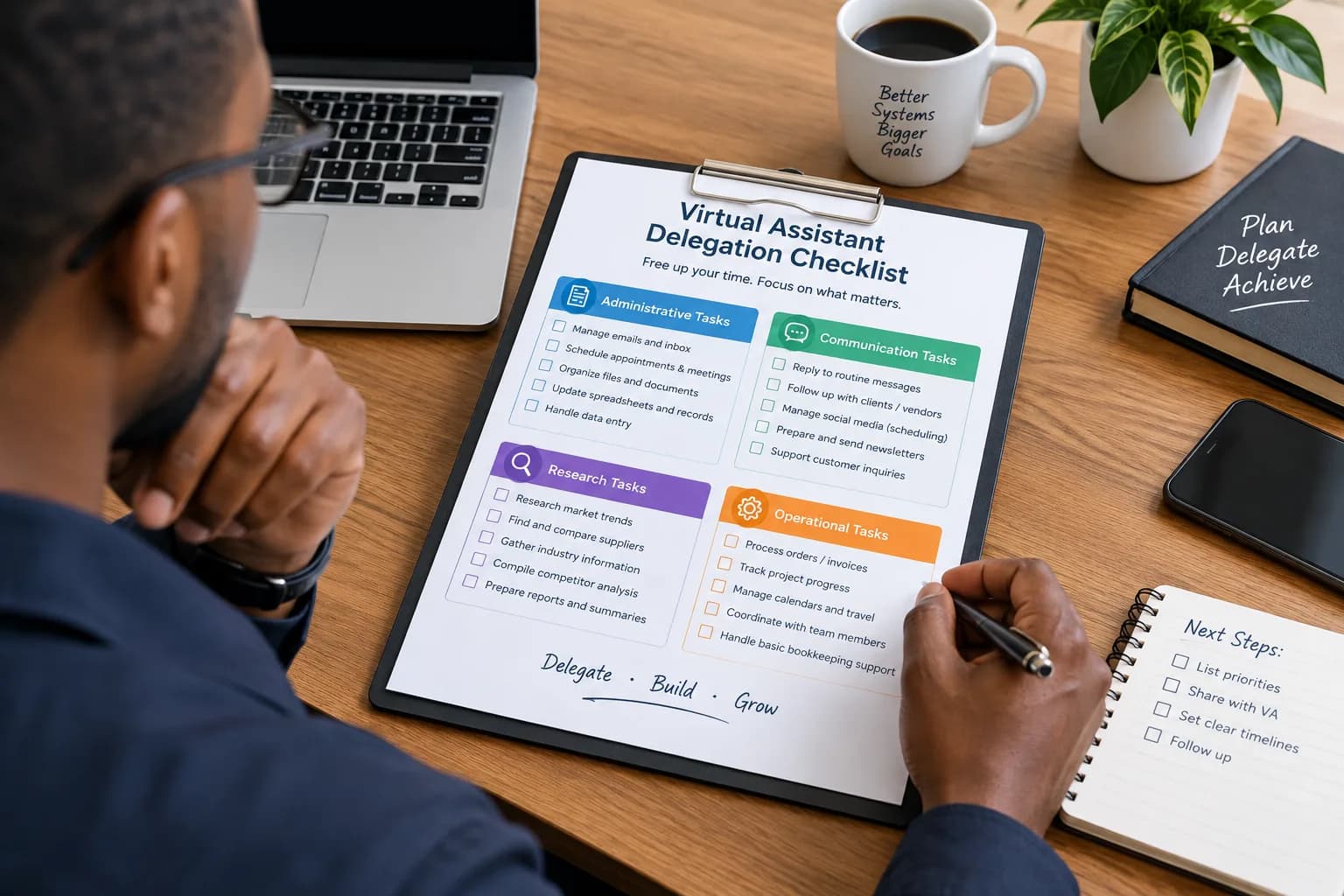
I'm Drowning in Emails—Can a Virtual Assistant Really Help?
If you start every morning by opening your inbox and finish the day wondering where the hours went, email may have become more than a communication tool. It may have become a job of its own.
A virtual assistant can take a substantial amount of routine email work off your plate. The key is not handing over your entire inbox without a plan. A good virtual assistant helps by sorting incoming messages, identifying what needs your attention, responding to routine enquiries, following up on conversations, and keeping important messages from getting buried.
The result is not necessarily an empty inbox. The real goal is an inbox that contains only the conversations that genuinely require you.
What can a virtual assistant do with your email?
A virtual assistant is a remote professional who handles administrative or business tasks on behalf of an individual or company.
For email management, that can include several different responsibilities.
1. Sort and prioritize incoming messages
Not every email deserves the same level of attention.
A virtual assistant can categorize messages into groups such as:
- Urgent matters
- Client or customer enquiries
- Internal communications
- Sales enquiries
- Newsletters and promotional emails
- Invoices and receipts
- Emails requiring your response
- Emails that can be archived
This creates a simple system for deciding what needs immediate attention and what can wait.
2. Respond to routine emails
Many inboxes contain messages that require a response but not necessarily the business owner's personal involvement.
Examples include:
- Meeting availability
- Basic service enquiries
- Appointment confirmations
- Requests for documents
- Follow-up messages
- Common customer questions
- Internal administrative requests
You can give the assistant approved templates, guidelines, and escalation rules so they know which messages they can answer independently.
3. Manage follow-ups
Follow-up is one of the easiest tasks to lose track of when your inbox is busy.
A virtual assistant can maintain a list of people who need a response and remind you when a decision or personal reply is required.
For example, if a potential client sends an enquiry and you need to provide the final proposal yourself, the assistant can make sure the conversation doesn't disappear beneath dozens of newer messages.
4. Keep your inbox organized
Email organization becomes particularly useful when you receive a high volume of messages.
A virtual assistant can help establish folders, labels, filters, naming conventions, and rules for handling recurring types of email.
The system matters more than the number of folders. The objective is to make important information easy to find.
5. Manage your calendar through email
Email and scheduling often overlap.
A virtual assistant can handle routine scheduling conversations, identify available meeting times, send calendar invitations, and coordinate changes.
That means you don't have to spend ten minutes replying to a simple "Does Tuesday at 2pm work?" conversation.
What should you keep for yourself?
Outsourcing email does not mean giving someone unlimited access to every conversation.
Some messages should remain under your direct control.
These may include:
- Sensitive financial discussions
- Legal correspondence
- Personal communications
- High-value negotiations
- Strategic business decisions
- Difficult customer complaints
- Confidential employee matters
- Messages requiring your personal expertise
A useful approach is to establish clear escalation rules.
For example:
"If an email involves a contract, refund above a certain amount, legal issue, or major client decision, flag it for me."
The exact rules will depend on your business.
How much time can email outsourcing save?
The answer depends on how much email you receive and how much of it is routine.
Imagine you currently spend two hours each working day processing email.
If a virtual assistant handles sorting, routine replies, scheduling, and follow-ups, you may be able to reduce the amount of inbox work that reaches you substantially.
The important measurement is not simply "emails handled."
Measure hours returned to higher-value work.
For example:
| Email activity | Before delegation | After delegation |
|---|---|---|
| Sorting messages | 30 min/day | 5 min/day |
| Routine replies | 30 min/day | 10 min/day |
| Scheduling | 20 min/day | 5 min/day |
| Follow-ups | 20 min/day | 5 min/day |
| Important decisions | 20 min/day | 20 min/day |
In this example, the owner still deals with important decisions but no longer spends most of the day processing administrative email.
Your actual savings will depend on your inbox volume, business processes, assistant's experience, and how much authority you give the assistant.
When is a virtual assistant better than simply using email rules?
Email filters and automation are useful, but they do not replace human judgment in every situation.
Automation can be excellent for predictable tasks:
- Moving newsletters into folders
- Flagging messages containing certain words
- Sending standard acknowledgements
- Sorting recurring notifications
A virtual assistant becomes more useful when the work involves context.
For example, an assistant can recognize that a customer's message is technically a routine enquiry but that the customer's circumstances make it important enough to escalate.
The strongest setup can be a combination of automation and human support.
How do you hand over an inbox without creating more work?
Start small.
Instead of asking a virtual assistant to "manage my email," define a specific workflow.
Step 1: Identify repetitive email tasks
Review your inbox for a week and note what you repeatedly do.
Look for patterns such as:
- Scheduling
- Answering the same questions
- Sending documents
- Forwarding information
- Following up
- Categorizing messages
Step 2: Create response guidelines
Give your assistant examples of appropriate replies.
A few real examples are often more useful than a long document explaining your writing style.
Step 3: Establish escalation rules
Make it clear when the assistant should:
- Respond
- Archive
- Forward
- Flag
- Ask you for a decision
Step 4: Start with low-risk responsibilities
Let the assistant handle organization and scheduling before giving them responsibility for sensitive or high-value correspondence.
Step 5: Review the system
After a few weeks, look at what is still reaching your inbox.
If you're still dealing with the same repetitive tasks, the delegation system probably needs refinement.
Signs that email is a good task to delegate
Email management is worth considering when:
- You spend a significant part of every day processing email.
- Routine messages interrupt your most important work.
- You regularly forget to follow up.
- Meeting scheduling consumes too much time.
- Your inbox contains many conversations that don't require your expertise.
- You avoid responding because the volume feels overwhelming.
- Important messages regularly get buried.
You don't need to be completely overwhelmed before delegating.
If email is consistently taking time away from activities that generate revenue, serve customers, or move your business forward, it may already be a good candidate for delegation.
The goal isn't an empty inbox
An empty inbox can be satisfying, but it isn't necessarily the measure that matters.
The better question is:
How much of your email actually requires you?
A virtual assistant can create value by making sure routine communication is handled without demanding your attention. Your inbox then becomes a place for decisions, relationships, and important conversations rather than an endless administrative queue.
If email is consuming hours that could be spent running or growing your business, a virtual assistant may be one of the simplest administrative tasks to delegate.